Posts

How I got started in education...

Image
 Hi all, I came across this today and sharing here. This cartoon depicts how I got started with education. 😉

Voice Feedback in Google Docs

Image
Hi! I was recently asked by a teacher how she could provide voice feedback in Google Docs. Sometimes, it's better to record your feedback, rather than writing a long note, and I'm pretty sure students would appreciate listening to their teacher's voice too! Here are some options I found. They all work for Google Docs. Some will mention if they work on Google Slides or Google Classroom too. Mote This is a Chrome extension. The basic plan has some limitations , but it's ok. Mote creates a link to the voice note in a comment box. For a better experience, the kids would also need to install that extension, that way they wouldn't be taken out of the Google doc to listen to the message and could play directly in the comments box. Works the same also in Google Slides and in Google Classroom. Read&Write This is another Chrome extension, which also has other cool features you might like. Again, to better experience this feedback option, it is recommended that the student...

25 Years and Counting

Image
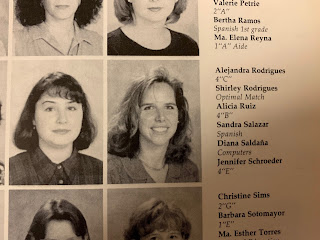
Hi everyone! I posted this on Facebook today, but thought I'd include it also in my blog since I think it's a huge accomplishment. 1996-1997 Today marks my 25th back-to-school at ASFM. 👩‍💻 I feel so blessed and grateful to be a part of this community. 🤗  Twenty-five years ago, I switched jobs, from 5 years at another school to a new one. I had 4 job offers to choose from. It was not an easy decision, because it wasn't only what was best for me, but because my kids would be joining the school too. After thinking it carefully, seeing pros and cons, and talking with friends, I chose ASFM. On the first day of school, as I entered the building, the principal was at the entrance greeting students and she turns to me and says "Good morning Diana!". I thought, "What! She knows my name!!" That's when I knew I had made a good choice and I would be all right. 1996-1997 1996-1997


First Lego League Jr.

Image
For the past years we had attempted to run a FIRST Lego League after school club. It was an amazing experience and the kids were really engaged, however, the timing just wasn't right. We met every Monday after school for one hour, all through the first semester of school. By the time we received the challenge kit, we were already about half way through the weeks. That didn't leave much for us to be able to complete all the tasks and be prepared to participate in the competition. So, this year, we switched to running a FIRST Lego League Jr. club instead. This meant another age range of students and another set of skills, but we were willing to give it a shot. Keep reading to see how it went. The BoomTown Build Challenge We targeted students in grades 1 and 2. We formed a team of 6 students. The kids grouped in pairs. The kids decided on the name of their team: "Pizza Boogie Party" Prior to the arrival of the challenge kit, we practiced building with Legos...

Making Password Cards from a Google Sheet

Image
Hi! At our school, students get started with Google for Education accounts in grade 2. The randomly generated password provided to students is a real challenge for them to type, not to mention to memorize. So students practice logging in to their Google account multiple times in their Technology class. The teacher has an index card with each student's name, username, and password. She hands them out to students in need, until eventually, they don't request it any longer. With 160 students in the grade 2 generation, it's a daunting task to try to manually create these cards and avoid making any mistake. I found a way to automate this task and eliminate any errors and provide a similar solution as to what the teacher currently was successfully using. Here are the steps to follow. 1- Create a list with all necessary data in Google Sheets. The names of the column headers will be used in the following steps as fields. For example: 2- Create template in Google Slides O...

A Presenter's Worst Nightmare

Image
A couple of weeks ago, our innovation team was in charge of running a PD afternoon. Every Tuesday, students are dismissed earlier, and teachers stay a little longer. This time is dedicated to professional development or other staff needs. Since we continue to support the blended learning goal we decided to offer workshops about tools that aligned with this. We invited three innovator teachers to participate as well, for a total of five sessions on: Brainpop, Flipgrid, Adobe Spark, Creation of Gifs, and Flippity. I was going to run the session on Flippity . As the site describes it: "Easily turn a Google™ Spreadsheet into a Set of Online Flashcards and Other Cool Stuff" . I thought the teachers would love to create online resources with which the kids could interact, and it's so simple to use. The day came. We divided the afternoon in two and would repeat the 5 sessions in each block of time. We had sent out a Google Form with the description of each tool so teachers c...

Redesigning a Kinder Classroom

Image
Hi all! In this post I am including the story of the design process followed for another of the classrooms that I helped redesign. This is a Kinder classroom. Cheers!