Posts

Copyright-Friendly Images

Image
Hi! When your working with elementary students you realize that most of the projects that kids create, whether digital or on paper, include images. We've all seen projects about the solar system, animal life, life cycles, changing earth, a book character, and more. As an educator (or as a parent) you want to teach your children about which pictures are all right to use, starting at an early age. Children need to be aware of what copyright, fair use, and attribution mean. These links provide information made just for kids regarding copyright and fair use. CyberBee Copyright Kids Copyright Mystery For older kids or adults, a very complete website I found that explains everything you need to know about copyrights and fair use is this article from the Social Media Examiner . Below are a few websites that will provide free-to-use images: Pics4Learning : An excellent library of free copyright images for education. Images are arranged in different categories...

PE and iPads

Image
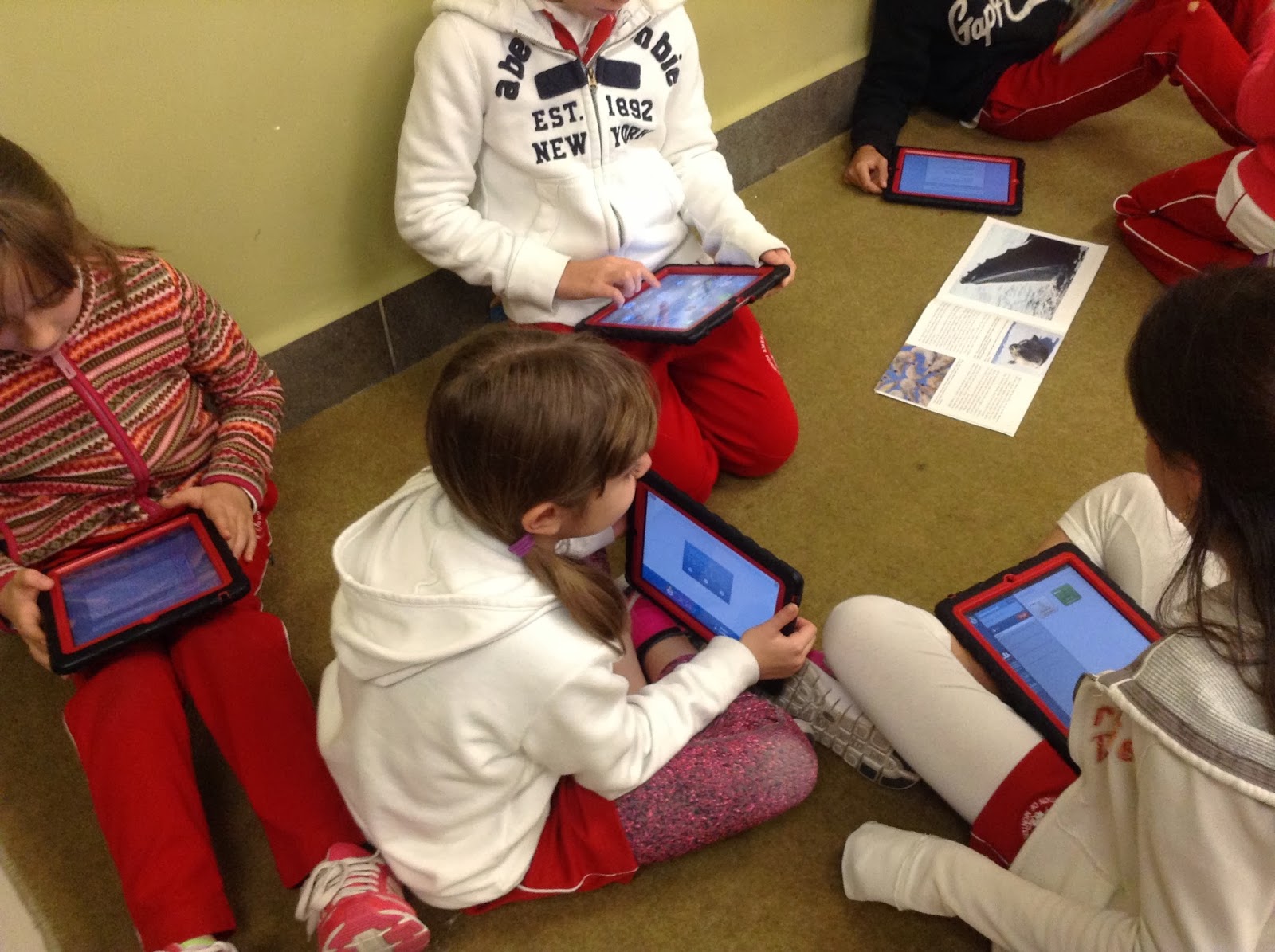
Hello everyone! This week I met with our Elem PE (Physical Education) department. These teachers were equipped with shiny new iPad mini devices at the start of the school year. Additionally, in school we have several iPad carts with full class sets of devices. This time, the teachers were looking for ways in which they could better use the equipment with their students. In this post I'll share what I found and recommended to our PE teachers. This is based on the needs of our PE program and on what resources are available in our school. I divided the list into two parts: 1- What is specific for the teacher, to increase their productivity, efficiency, and enhance their teaching, and 2 - What is geared towards students to improve their learning. Teachers Pre-installed: Music - Play music or play a recording that delivers your lesson. Camera - Record yourself giving instructions or following a routine. Calendar - Synchronize your school calendar with your iPad cale...

eClickers and the 4C's

Image
Hi everyone!  Last week I got to visit a fourth grade classroom. Since this was the first time this group and the teacher were trying out this type of assessment, I was there to help out. The students took a quiz through the app called eClicker Audience on their iPads. The teacher had prepared the questions and answers on the eClicker Presenter app and as a group they took the "live" quiz. Everything worked out just fine! The teacher and the students were very excited about this "interactive" quiz they had just taken for the first time. I was about to leave, when the teacher asks me if it would be possible for the kids to create their own quizzes? I said, "Yes, absolutely!" So I returned the next day with the iPads again. Wow! All it took was a little explaining and demonstration of what to do. They quickly got the hang of it. The difficult part for them now was to come up with good questions and answers. Once they individually finished their questions...

Making Simple e-Magazines

Image
Hi! I hope your year is off to a great start! Upon returning to classes after the Christmas break I had a special request from a teacher: How could she create an electronic magazine. Below are the details of what I figured out, which could also be applied in case of an electronic book. Situation: Third grade students are working on a science unit. As a final evaluation project, each student will create a magazine-like article with the information he found on his topic. All the pages will form one single magazine. The teacher is looking for a way to publish the magazine online so it can be read by all the students and by their parents. The solution should be easy to follow and easy to share. Solution and Workflow:   1. Students uses Pages or Word. 2. Students save and export as a PDF file. 3. Students send files to teacher. 4. Teacher runs the Automator script (see below) to join all PDF files into one single PDF file. 5. Teacher signs in to Joomag and creates...

YouTube Audio Library

Image
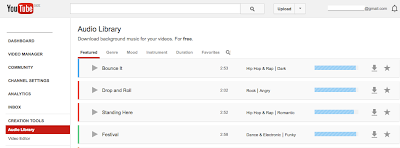
Hi! Happy Holidays! Are you tired of using the same iMovie music tracks for your videos? (or any other application you use) Well, look no further. YouTube offers free background music you can download for your videos! There's a vast collection and it's so easy to find just the right track you need. Here's a sample: In an earlier post we saw that you could edit videos within YouTube , which includes a selection of free music too. But this time we'll see how you can download the music file to your computer and insert it into your favorite movie editing tool. Try it out! Sign in to your YouTube account. Enter your dashboard. Look for CREATION TOOLS. Next, you'll see the Audio Library. Cheers!

Augmented Reality in School

Image
I recently made a presentation at my school about Augmented Reality (AR). I had heard about it before, but thought is was something futuristic or far too techie. However, during the summer, at the ISTE Conference, I attended a session on Augmented Reality. I was surprised at what I learned and walked out feeling less intimidated by such a geeky word. So, as I was preparing for my own presentation, I looked around for apps that could be applicable to our educational setting and would be a fun and easy way to introduce the concept to my fellow colleagues. Below is a list of some of the apps I selected and why I chose them. ColAR Mix - This app requires you download a set of sheets. You can color the pages and the AR view includes the colors you used. I like this app because you can see how the drawing you colored comes to life. The characters shown are animated.  GWR 2014 - This app is used together with the Guinness World Record 2014 book. I like this app because you can ...

Typing: Then and Now

Image
Hi! I was looking for a document on my computer and I bumped into an essay I wrote back in 2008 for one of my graduate courses. I love to type and whenever I can I encourage students to learn it well, so I enjoyed the reminder of why I love it so much. Here's an extract of the paper which, by the way, was about Behaviorism Theory.   About the Teacher Mrs. Reyes had been in school for many years now; she was basically a teacher for the Commerce section. She had not studied to be an educator; she had studied to become a secretary and an accountant. She was dedicated to forming new secretaries and accountants. Unfortunately, the Commerce section at the school had to be closed down, and fortunately, she entered the secondary school faculty, hence, her experience with the course to be described. At the same time, she was the homeroom teacher for the same group of students. She was a nice, middle-aged woman at that time, with an only child: a twenty-year-old daughter.   ...